
Restaurant Website Design That Fills Tables
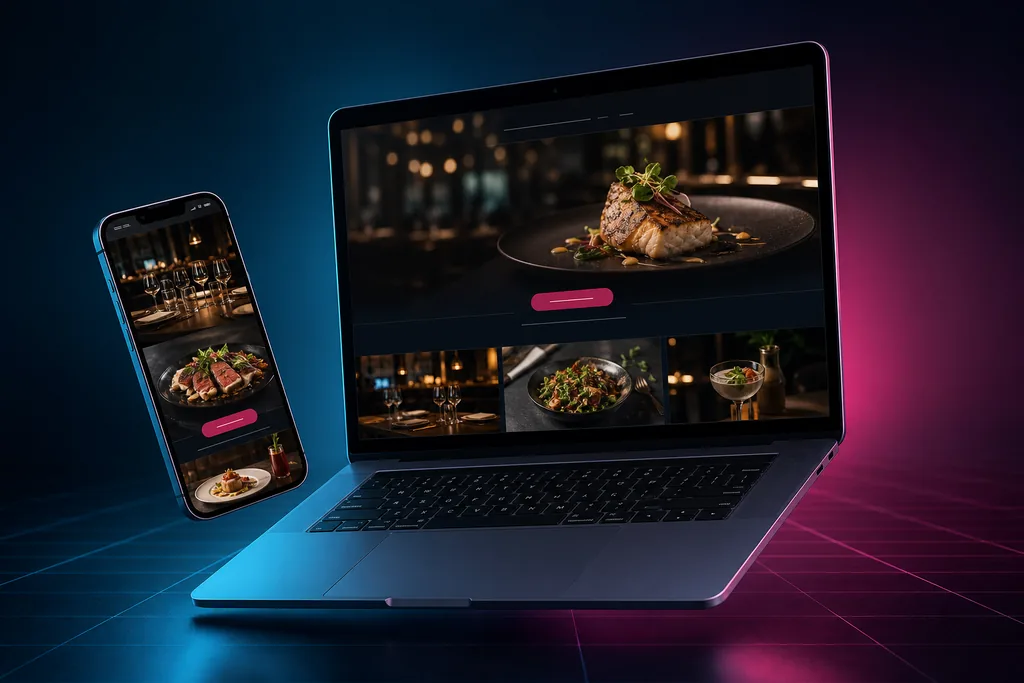
Restaurant website design comes down to three seconds: a hungry visitor needs your menu, your hours, and a way to order or reserve — instantly, on a phone. That means a real HTML menu (not a PDF), direct online ordering that protects your margins, reservation integration, and photography that makes people hungry. WebEngine builds it all on one flat monthly plan, with hosting, maintenance, and a live review widget included.

New Business Website
A professional website built for your business — design, hosting, security, and reviews handled for you.
- Custom professional design
- Hosting & security included
- Mobile-first & fast
- Live review widget built in
Website Support
Already have a website? We keep it updated, secure, fast — and make your changes for you.
- Updates, backups & security
- Content edits done for you
- Speed & uptime monitoring
- Works with sites we didn’t build
What a Restaurant Website Actually Has to Do
Restaurant websites fail differently than other small-business sites. Visitors aren’t researching — they’re hungry, often standing on a sidewalk or sitting in a car, deciding between you and the place two blocks over. The site has seconds, not minutes, and three jobs.
Serve the menu instantly
The menu is the website. By a wide margin it’s what visitors came for, and anything standing between them and it — a splash screen, an autoplay video, a download — sends them back to the search results. The menu should be one tap from anywhere, readable on a phone without pinching, and current. A menu listing dishes you stopped serving last spring quietly tells guests the whole site might be wrong.
Capture the order or the booking
Every menu view should have an exit ramp into revenue: an order-online button for takeout, a reservation link for dine-in, a catering inquiry for events. When that ramp is missing, the guest who loved your menu still has to figure out the next step themselves — and “I’ll call later” is where covers go to die.
Look like the food tastes
Diners eat with their eyes before they ever taste anything. A site with dim, grainy phone photos of your best dishes undersells the kitchen; a site with glossy stock pasta that isn’t your pasta is worse, because guests can tell. The design’s job is appetite: real photography, warmth, and no clutter competing with the food.
Must-Have Features for a Restaurant Website
An HTML menu — never a PDF
The PDF menu is the most common mistake in restaurant web design, and it costs more than owners realize. PDFs are slow to open on phones, painful to read at sidewalk size, invisible to search engines looking for your dishes, and unreadable to the screen readers used by blind and low-vision guests — which has made PDF-only menus a recurring target of web accessibility complaints against restaurants. A real on-page menu fixes all four problems and takes minutes to update when a dish changes.
Direct online ordering: the margin question
Here’s the deep economics nobody puts on the brochure. Third-party delivery and ordering marketplaces charge restaurants a meaningful commission on every order that flows through them — and they keep the customer relationship, the contact details, and the reorder. They’re genuinely useful for discovery: new customers find you there. The mistake is letting them also own your regulars.
The fix is structural, not ideological: keep your marketplace listings for discovery, but make sure your own website routes guests to a direct ordering channel — your POS provider’s ordering page, a commission-free ordering tool, or even a structured phone-order flow. Every regular who shifts from a marketplace app to ordering through your site is margin recovered and a customer you can actually reach again. We build restaurant sites so the “Order Online” button points where the economics favor you, with marketplace links kept where they belong: available, not primary.
Reservations that plug into how you already work
If you take reservations through OpenTable, Resy, Tock, or your POS system’s booking tool, the website should embed or link that flow so a guest can book without leaving the page. No reservation system? A simple request form with party size, date, and time still beats “call us” — your host stand confirms by text. The reserve button belongs in the site header, every page.
Hours, location, and the practical details
Hours that match reality — including holiday changes and that one Tuesday you close early — plus address with one-tap directions, parking notes, and dietary information (gluten-free, vegan, allergens) where guests can find them. Wrong hours on a website don’t just lose a visit; they create the angriest one-star review a restaurant can earn: “drove twenty minutes, they were closed.”
Photography that does the selling
You don’t need a full editorial shoot to start — you need honest, bright, recent photos of your actual dishes and your actual room. A few rules we build around: natural light beats flash, the hero image should be your signature dish or your space at its warmest, and nothing on the site should be a stock photo a guest might recognize from another restaurant’s site. When you do invest in professional photography, the website is where it pays for itself first.
The basics, wired in
- Mobile-first layout — the majority of restaurant searches happen on phones, frequently within walking or driving distance.
- Click-to-call and one-tap directions in the header and footer of every page.
- Structured data for your menu, hours, and location so search engines and AI assistants can quote your details correctly.
- Social media links that work both directions — your Instagram feeds the site’s freshness; the site converts Instagram lurkers into orders.
- Fast load under restaurant conditions — image-heavy pages tuned so they open quickly on a phone with two bars of signal.
Local SEO for Restaurants: Winning “Near Me”
Restaurant discovery is the most local of all local search. “Tacos near me,” “best brunch in [neighborhood],” “restaurants open now” — these searches happen with wallets already open, and they’re decided by the map pack more than the regular results.
Your Google Business Profile is your front door
Categories matter more for restaurants than almost any business type: primary category (Mexican Restaurant, not just Restaurant), attributes (outdoor seating, takes reservations, good for groups), current hours, menu link, photos that get refreshed, and ordering links. Google increasingly surfaces menu items and dishes directly — a profile linked to a real HTML menu on your site feeds that machine; a PDF feeds it nothing.
Reviews are the deciding course
When a couple compares three nearby spots, the review column usually decides. Volume, recency, and your replies all count. Every WebEngine site includes the Bird Local review widget, which shows your live Google reviews on the site itself — so the guest reading your menu sees last week’s praise next to it — and supports the ask-for-review flow that keeps new ones coming.
One location or five
Multi-location restaurants need a page per location — each with its own hours, menu variations, photos, and embedded map — rather than one contact page trying to serve them all. Done properly, each location page competes in its own neighborhood’s searches.
Beyond Tonight’s Table: Catering, Events, and Gift Cards
Most restaurant websites stop at dinner service, which leaves the highest-margin revenue lines without a doorway. If you cater, the site needs a catering page of its own — sample menus by event type, minimums and lead times, a photo or two from real events, and an inquiry form that asks for date, headcount, and budget range so your first reply can be a real quote conversation instead of twenty questions. Private dining and buyouts deserve the same treatment: the office manager planning a holiday party is comparing rooms on a Tuesday afternoon, and the restaurant whose site shows the space, the capacity, and a request form gets the inquiry.
Gift cards are the quiet third line. If your POS sells digital gift cards, a link in the site header costs nothing and sells year-round — with a spike every December that you’ll wish you’d set up in November. And every one of these pages doubles as search bait: “private dining in [your city]” and “catering near me” are searches with money attached and far less competition than “best restaurant.” A wedding rehearsal dinner books the room once; the planner who found you for it comes back with the next three events.
Design and Appetite Psychology
Restaurant design is the rare web niche where beauty is the conversion strategy. The patterns that work:
- Lead with the food, full-width. The hero image sells the visit; the words underneath just confirm it.
- Warmth in the palette. Colors pulled from your room and your plates make the site feel like the experience. Sterile corporate blue makes a bistro feel like a bank.
- Navigation a hungry person can use. Menu, Hours & Location, Order, Reserve. Everything else is secondary.
- No friction rituals. Autoplay music, splash pages, and “enter site” buttons belong to 2009 — every one of them loses guests.
- Freshness as a trust signal. A current menu, this season’s photos, and a recent review visible on the page all say the same thing: this place is alive and cared for.
What Does a Restaurant Website Cost?
Honest, qualitative numbers. DIY builders charge a low monthly subscription, but the menu formatting, the ordering integration, the photography layout, and the upkeep all land on you — usually at midnight after a double. Freelancers commonly charge a mid-four-figure upfront fee for a custom restaurant site, with changes billed hourly afterward. Agencies and hospitality-marketing firms run five figures upfront or sizeable monthly retainers, sometimes bundling ordering systems that carry their own per-order fees.
WebEngine’s answer is one flat monthly plan: custom design, hosting, security, ongoing maintenance — menu updates included, which matters more in this industry than any other — plus local SEO foundations and the Bird Local review widget. What’s included is laid out on our web design page, with no quote-request dance.
Common Mistakes Restaurant Websites Make
- The PDF-only menu — slow, unsearchable, inaccessible, and unreadable on the phone where everyone is.
- Stale hours — the single fastest way to convert a would-be guest into a one-star review.
- Routing every order to a marketplace app and donating the margin and the customer relationship with it.
- No reserve or order button in the header — making revenue a scavenger hunt.
- Stock food photography — guests recognize it, and it promises a meal you don’t serve.
- Image-heavy pages with no performance tuning — gorgeous on the designer’s fiber connection, unusable on a phone outside your door.
- Burying dietary information — the gluten-free guest decides where the whole table eats.
Restaurant Website Design FAQs
How much does a restaurant website cost?
DIY builders run a low monthly subscription with all the work left to you; freelancers commonly charge a mid-four-figure upfront fee; agencies and hospitality-marketing firms run five figures or ongoing retainers. WebEngine builds restaurant websites on one flat monthly plan with hosting, maintenance, menu updates, and a live review widget included — details on our web design page.
Is a PDF menu bad for my restaurant website?
Yes, in four distinct ways: PDFs load slowly and read poorly on phones, search engines can’t index the dishes inside them, screen readers used by blind and low-vision guests often can’t read them (a recurring accessibility-complaint trigger for restaurants), and they’re a hassle to update. An on-page HTML menu fixes all of it and changes in minutes when your kitchen does.
Do I need online ordering on my own website if I’m on delivery apps?
The apps are useful for discovery, but they take a meaningful commission on every order and keep the customer data. Your own site should route guests to a direct ordering channel — your POS provider’s ordering page or a commission-free tool — so regulars order direct and the margin stays with you. Keep the app listings; just don’t make them the only door.
Can the website handle reservations?
Yes. If you use OpenTable, Resy, Tock, or a POS-based booking tool, we embed or link it so guests book without leaving the page. If you don’t run a reservation platform, we build a request form with party size, date, and time that your host stand confirms — either way, the reserve button lives in the header.
How does my website help me show up on Google Maps?
The map pack draws on your Google Business Profile, and your website feeds it: matching name, address, and phone, an indexable HTML menu Google can read dishes from, structured data for hours and location, and a steady review flow. The Bird Local review widget on every WebEngine site displays live Google reviews and supports collecting new ones.
Do I need professional food photography before launching?
No — launch with honest, bright, recent photos of your real dishes and room, shot in natural light. Skip stock food images entirely; guests can tell. When you later invest in professional photography, we swap it in as part of your plan’s ongoing updates.
How long does it take to launch a restaurant website?
Most WebEngine restaurant sites go live in a few weeks. The usual pacing items are your menu in final form, your photos, and confirming the ordering and reservation links — the build itself starts from a structure proven for restaurants rather than a blank page.
Explore More
Restaurants are one of many industries we build for. See our full web design services, browse every industry we serve, or visit a neighboring field: coffee shop website design, catering website design, and food truck website design.
Ready for a Website That Fills Tables?
Right now someone nearby is hungry, phone in hand, choosing between you and the place down the street. Give them a menu they can read, an order button that protects your margin, and photos that end the debate. One flat monthly plan, everything handled. Already have a site that needs rescuing? Get website support.
New Business Website
A professional website built for your business — design, hosting, security, and reviews handled for you.
- Custom professional design
- Hosting & security included
- Mobile-first & fast
- Live review widget built in
Website Support
Already have a website? We keep it updated, secure, fast — and make your changes for you.
- Updates, backups & security
- Content edits done for you
- Speed & uptime monitoring
- Works with sites we didn’t build