We build it.
A website your customers, Google and AI all understand.
- Made for phones first
- Launches with 90+ pages on average¹
- Sent to Google and Bing at launch

A website built to get you found on Google and AI, and to make calling or booking easy. We build and run it for you.
A VIS Mountain company · 20+ years in the industry · Google Partner · 100+ businesses and clinicsA VIS Mountain company · Google Partner · 100+ businesses and clinics
The short version
A website your customers, Google and AI all understand.
It answers questions at any hour, and your follow-ups go out on their own.
Fast, safe and up to date. Ask for a change — most are live within 24 hours.
That's a web engine.
¹ Four blog posts a month for two years is about 96 pages. Our launches average 90+ pages (94 across nine live builds), depending on services and areas. More pages is not a ranking promise.
² Tested at pagespeed.web.dev before launch. Scores vary by page and content.
Same business, two websites
Most Google searches now end without a click.¹ So when someone does click, calling or booking has to be easy.
¹ 68.01% of US Google searches ended with no click to any website, January to April 2026. Source: SparkToro, 2026 zero-click study.
Real work
These are real, live websites. Open one and look around.
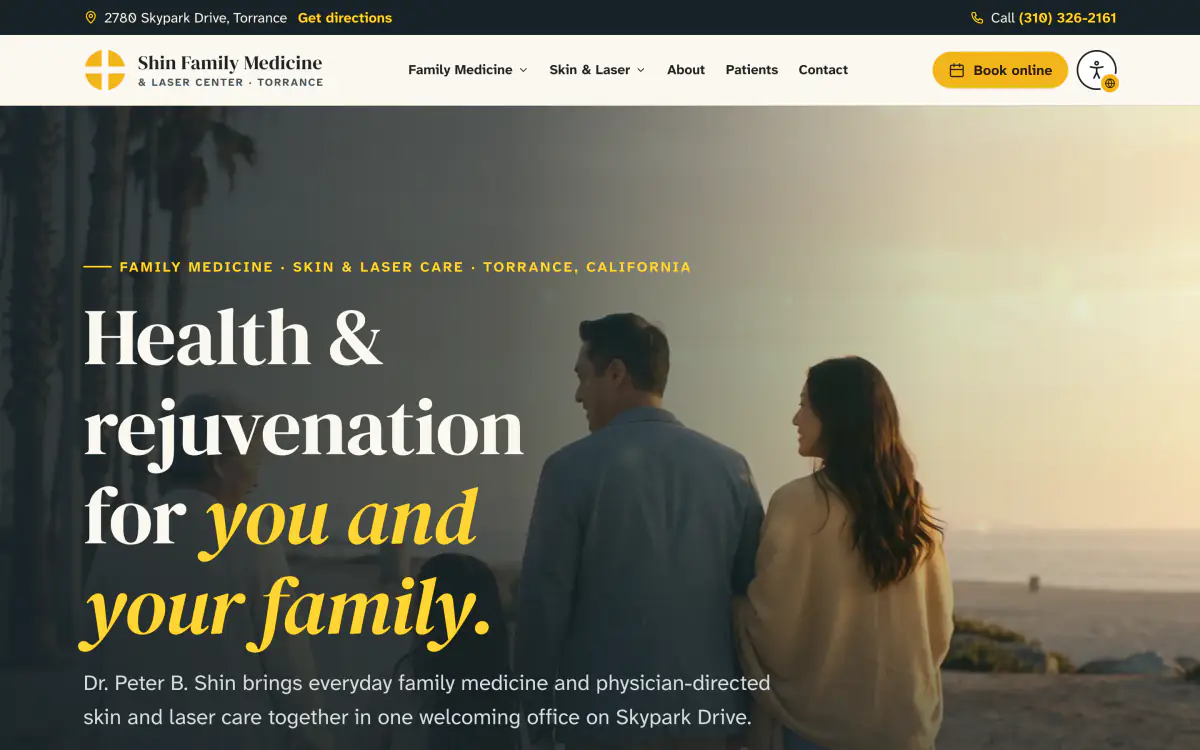

Family medicine · Skin & laser
Two old practice websites, merged into one new site.
See it live: Shin Family Medicine & Laser Center (opens in a new tab)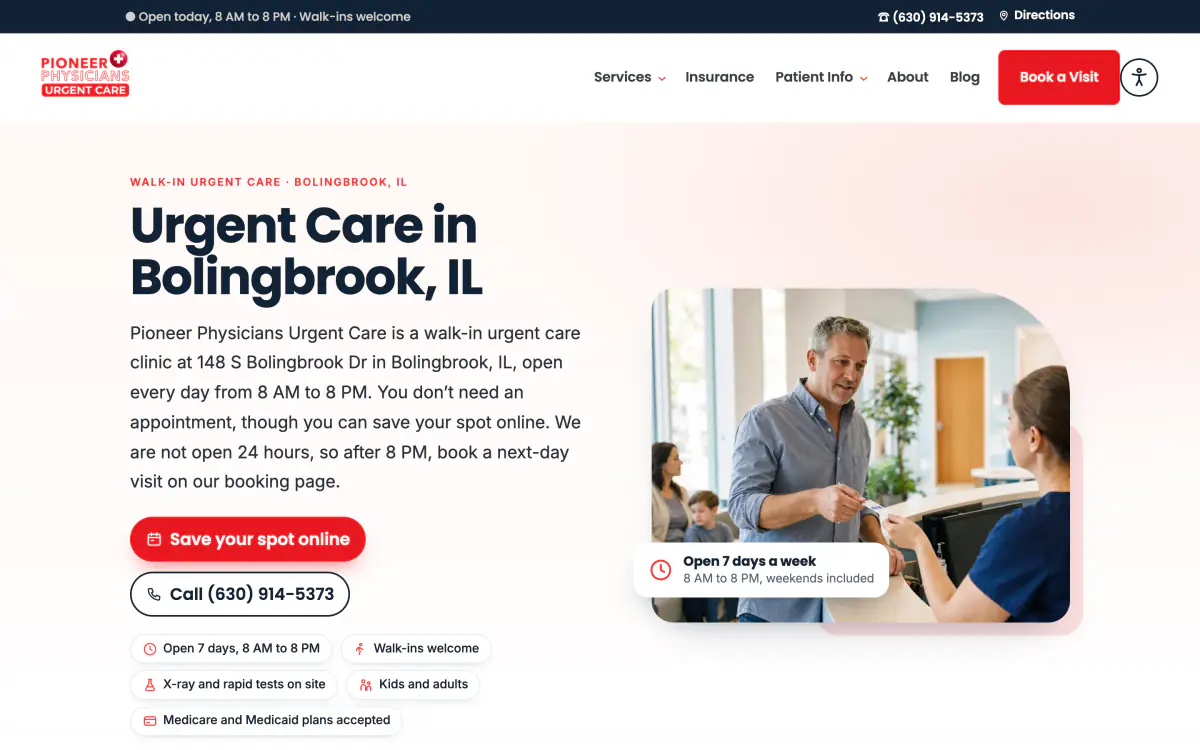

Urgent care
Rebuilt from the ground up, with the clinic's 32 blog posts carried over.
See it live: Pioneer Physicians Urgent Care (opens in a new tab)

Family & cosmetic dentistry
Rebuilt with patient-education videos and insurance pages.
See it live: All Dental of Menifee (opens in a new tab)Pick what matters to you
Made for your kind of business
Free website score
A score out of 100, with the top fixes in plain words. Sent to your email.
Questions
A web engine is a website built for two audiences at once: the people who visit it and the search engines and AI assistants that read it on their behalf. It is researched before it is designed, structured with schema and answer-first pages, indexed on Google and Bing at launch, connected to your reviews, listings and CRM, and managed by a team after launch.
Most agencies hand over a finished website. WebEngine starts with search research, builds the SEO into the page plan from the first page, launches with indexing and an AI layer in place, and then manages the site — most changes are live within 24 hours. Reputation (Bird Local), listings (Branding Signal) and lead follow-up (Dash Funnels) are part of the same system.
No — and nobody honestly can. What we can do is make your business the clearest, most consistent and most checkable answer in its category and area: structured data, answer-first pages, matching listings and genuine reviews. On Growth plans, we then check month over month whether the major assistants are naming you.
Published industry guides put most custom projects between a few thousand and $100,000 (Clutch reports an average verified project of $38,105), with enterprise and complex builds at $100,000 to $500,000 or more (Outerbox, 2026). WebEngine delivers that depth — research, architecture, AI readiness, reputation, listings, CRM and management — for a fraction of it. Pricing depends on the engine type and scope; tell us what you're building and we'll send a plan.
Yes. The website is yours either way.
SEO (search engine optimization) helps your pages rank in search results. AEO (answer engine optimization) shapes content so it can be used as a direct answer — in featured snippets, voice assistants and AI Overviews. GEO (generative engine optimization), a term from a 2023 Princeton-led research paper, focuses on being understood and cited by generative AI tools such as ChatGPT, Gemini, Perplexity, Copilot and Grok. Google's own guidance is that optimizing for generative AI search is still SEO — which is why a web engine treats all three as one discipline.
llms.txt is a proposed convention: a plain-text file at the root of a website that summarises the site for large language models. Be realistic about it — Google Search ignores it, and a 2026 Ahrefs study found most published files get no requests. It costs almost nothing, so every web engine includes one as a courtesy to the tools that do read it (ours is at webengine.io/llms.txt), but the real work is structured, answer-first, consistent content.
Schema markup states facts about your business — services, locations, hours, people, reviews — in a structured format that search engines read reliably. Google says no special markup is required for its AI features, but well-structured, crawlable pages with accurate structured data are the foundation those features draw on, and consistent facts make your business easier for any system to understand.
Partly, and it is early. AI assistants can already read a well-built site and send customers to its booking or checkout pages, and the big platforms are testing ways for assistants to finish a purchase. A web engine is built with clean, accessible booking and buying paths and structured data, so it is ready as those options mature.
Engine Intelligence is the monthly optimization loop in our Managed + Growth plans. With your permission, we read your Google Search Console and Bing Webmaster Tools data every month — which searches find you, which pages are rising or slipping, what isn't indexed — and tune titles, copy and answers to match. Separately, your services and service areas are linked to each other, and to answer pages where those exist, by rules that keep the links natural. Then you see what moved and what we changed.
Engine Agent is an AI assistant for your website. It answers common questions in conversation, takes the intake a form would — the details your team needs — and sends each enquiry into your CRM with a summary and next step. It says it's an automated assistant, it doesn't give medical or legal advice, and it hands off to your team during the hours you set. Your CRM is what remembers each customer, so follow-ups can be personal.
Managed engines get updates and security patches for their software, logins and forms hardened when we take the site on, and plugins vetted before they're installed. AI gets guardrails too: chat agents are set up with a narrow job, and any AI we run on your behalf treats what it reads as information, never as instructions. No one can honestly promise a site can never be attacked — we keep yours current and locked down.
A team runs your site after launch: hosting, updates and security patches, and the everyday content changes your business needs, with most changes live within 24 hours. Growth plans add ongoing SEO, AEO and GEO, new content, listings work and monthly reporting. Larger projects are scoped with you first.
Practice sites for clinics and professional firms, local service sites, multi-location brands, directories and data-driven sites, e-commerce, authority and content sites, and lead-generation funnels. Each starts from the same engine and is tuned to the market.
WebEngine is a VIS Mountain company. VIS Mountain has 20+ years in the industry, is a Google Partner, and has worked with 100+ businesses and clinics. Branding Signal, Bird Local and Dash Funnels are sister products in the same ecosystem.
A VIS Mountain company · 20+ years in the industry · Google Partner · 100+ businesses and clinics
Get started
4 short steps, about 2 minutes. Then you pick a time to talk, right away. We work with U.S. businesses.
What happens next